Retro Terminal Chat
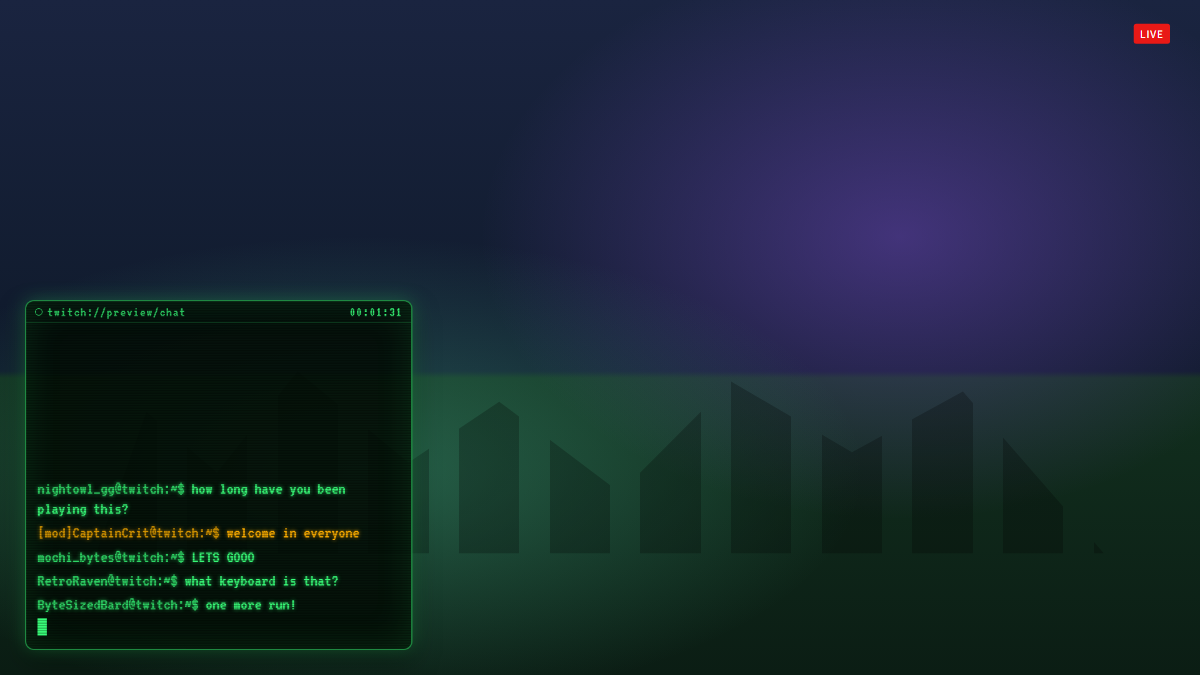
Each message types itself out in green phosphor with a blinking cursor; mods and the broadcaster show in amber.
A chat overlay for Twitch and OBS
Retro Terminal Chat is a free Twitch chat overlay styled like an old green-screen computer. Every message types itself out character by character in green phosphor with a blinking cursor, and CRT scanlines finish the hacker look. Mods and the broadcaster show in amber so they stand out.
Emotes appear whole while the text types around them, and typing speeds up when chat gets busy so it never falls far behind. It suits coding, retro gaming, hacking-game and sci-fi streams.
- Typewriter effect with a blinking cursor
- Mods and broadcaster highlighted in amber
- CRT scanlines and phosphor glow
- Twitch emotes, including sub emotes
- Speeds up to keep pace with busy chat
Add Retro Terminal Chat to OBS in under a minute
- Copy your overlay URL.
Replace YOUR_CHANNEL with your Twitch username:
https://www.overlaify.com/overlays/retro-terminal-chat?channel=YOUR_CHANNEL - Add a Browser source.
In OBS Studio, click + under Sources, choose Browser and name it “Retro Terminal Chat”.
- Paste the URL and set the size.
Paste the URL, then set Width to
1920and Height to1080. Leave custom CSS empty — the background is already transparent. - Test it before you go live.
Add
&test=1to the URL to fire simulated events, then remove it once it looks right. Tick “Control audio via OBS” if you want the alert sounds on their own mixer track.
Reads your public Twitch chat anonymously, so it works with no login or token. Streamlabs Desktop, Meld and Twitch Studio work too — add it wherever they accept a browser source or URL.
URL options
| Option | Example | What it does |
|---|---|---|
max | &max=8 | Most lines on screen at once. |
speed | &speed=60 | Characters typed per second. |
fade | &fade=30 | Seconds before a line fades out (0 keeps it). |
volume | &volume=0.25 | Sound volume from 0 to 1. |
mute | &mute=1 | Turn sounds off. |
Want a different layout, font or animation? Remix it with AI — describe the change in plain words and get your own version with a new OBS URL.
Make Retro Terminal Chat yours
Use it as-is for free, or open it in the AI editor and tell it what to change.