Subathon Timer
Countdown that grows with every sub and cheer. Remembers time between restarts. ?hours=4&sub=300
A timer overlay for Twitch and OBS
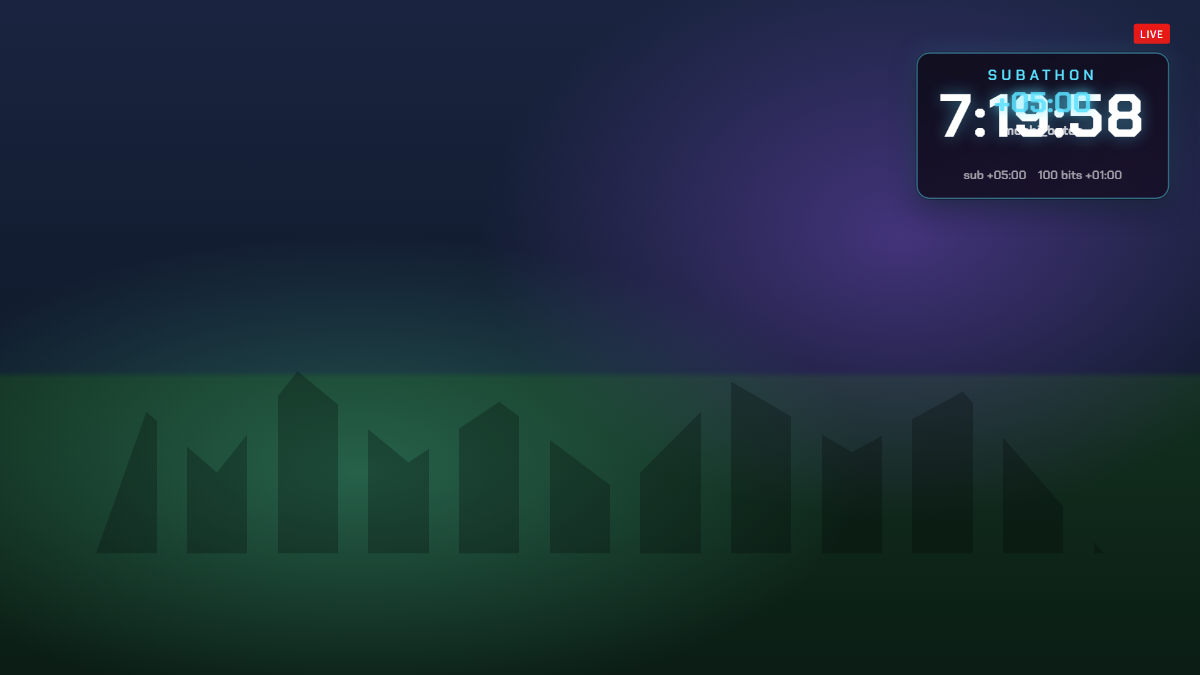
Subathon Timer is a free subathon overlay for Twitch. Set a starting length, and every new sub, resub, gifted sub and cheer adds time to the clock automatically, with a floating “+5:00” and the supporter’s name each time. Tier 2 subs count double and tier 3 subs count five times.
The end time is saved in the OBS browser source, so the timer keeps running correctly through crashes, scene switches and PC restarts. Mods and the broadcaster can add or remove minutes and pause or resume the timer from chat, and an optional cap keeps a subathon from running forever.
- Subs, gifted subs and bits add time automatically
- Tier 2 and tier 3 subs add more time
- Mod chat commands: add, remove, pause, resume
- Survives OBS restarts and crashes
- Optional maximum length cap
- Floating “+time” with the supporter’s name
Add Subathon Timer to OBS in under a minute
- Copy your overlay URL.
Replace YOUR_CHANNEL with your Twitch username:
https://www.overlaify.com/overlays/subathon-timer?channel=YOUR_CHANNEL - Add a Browser source.
In OBS Studio, click + under Sources, choose Browser and name it “Subathon Timer”.
- Paste the URL and set the size.
Paste the URL, then set Width to
1920and Height to1080. Leave custom CSS empty — the background is already transparent. - Test it before you go live.
Add
&test=1to the URL to fire simulated events, then remove it once it looks right. Tick “Control audio via OBS” if you want the alert sounds on their own mixer track.
Subs, gifted subs and bits come from Twitch chat with no login. Mods and the broadcaster can type !subathon add 10, !subathon remove 5 (minutes), !subathon pause and !subathon resume. Streamlabs Desktop, Meld and Twitch Studio work too — add it wherever they accept a browser source or URL.
URL options
| Option | Example | What it does |
|---|---|---|
hours | &hours=4 | Starting length in hours. |
sub | &sub=300 | Seconds added per tier 1 sub or gifted sub. |
bits | &bits=60 | Seconds added per 100 bits. |
max | &max=24 | Maximum total length in hours. 0 means no cap. |
label | &label=Subathon | Text above the timer. |
color | &color=%235ce1ff | Accent color (URL-encode # as %23). |
reset | &reset=1 | Change this value (1, 2, 3…) to start over from the starting length. Safe to leave in the URL. |
volume | &volume=0.25 | Sound volume from 0 to 1. |
mute | &mute=1 | Turn sounds off. |
Want a different layout, font or animation? Remix it with AI — describe the change in plain words and get your own version with a new OBS URL.
Make Subathon Timer yours
Use it as-is for free, or open it in the AI editor and tell it what to change.